Now in Open Beta

Your Party.
One Screen.
Every Roll.

Digital character sheets, live initiative tracking, and automatic combat summaries — all synced in real time for your entire group. Plus Owlbear Rodeo and physical minis on a touch table. Free, forever.

Start for Free See it in Action
D&D Sync
The Problem

The struggle every group knows

Paper sheets, scattered apps, and a DM doing twelve things at once. Sound familiar?

Initiative Chaos
Three players ask "whose turn is it?" every round while the DM scrambles through notes and tries to run the encounter.
Scattered Character Sheets
Paper, PDFs, phone apps — everyone uses something different, and the DM is always missing the number they need right now.
DM as Single Point of Failure
Everyone stares at the DM for HP updates, monster stats, and rules calls simultaneously. Fun grinds to a halt.
Epic Moments Lost to Memory
Three sessions later: "wait, didn't Thorgrim almost die in that cave?" Nobody wrote it down. It's gone.
Features

Everything your session needs

One tool. The whole party. No paper.

Initiative Tracker
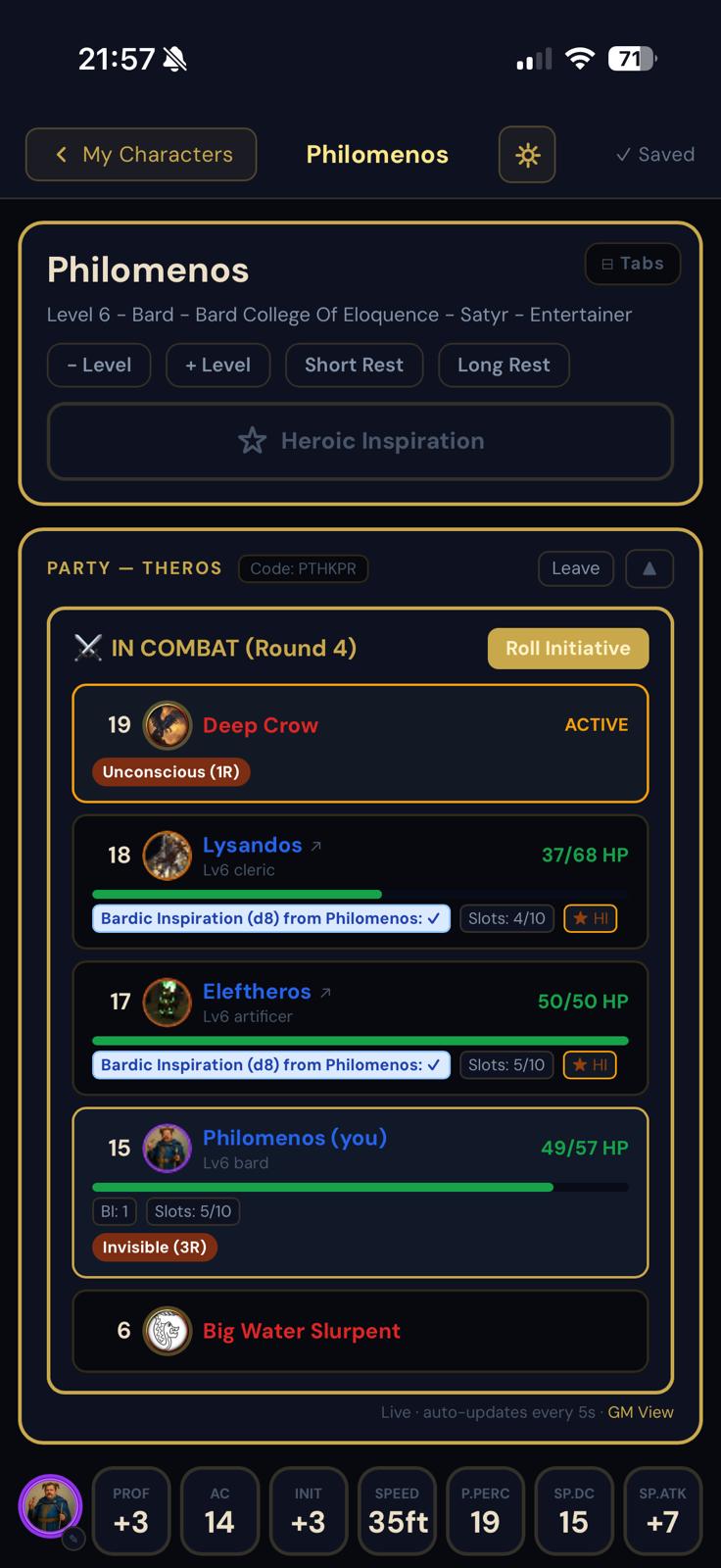
Real-time turn order visible to every player and the DM simultaneously. No "who's next?" — everyone knows the moment dice hit the table.
Live Sync
Digital Character Sheets
Full 5e character management — HP, spell slots, abilities, inventory, and class features. Changes sync to the GM panel instantly.
Always Current
DM Tools
Encounter builder, monster stat blocks, HP tracking, and condition management — all in a single GM panel built for sessions in motion.
Full Control
Combat Summary
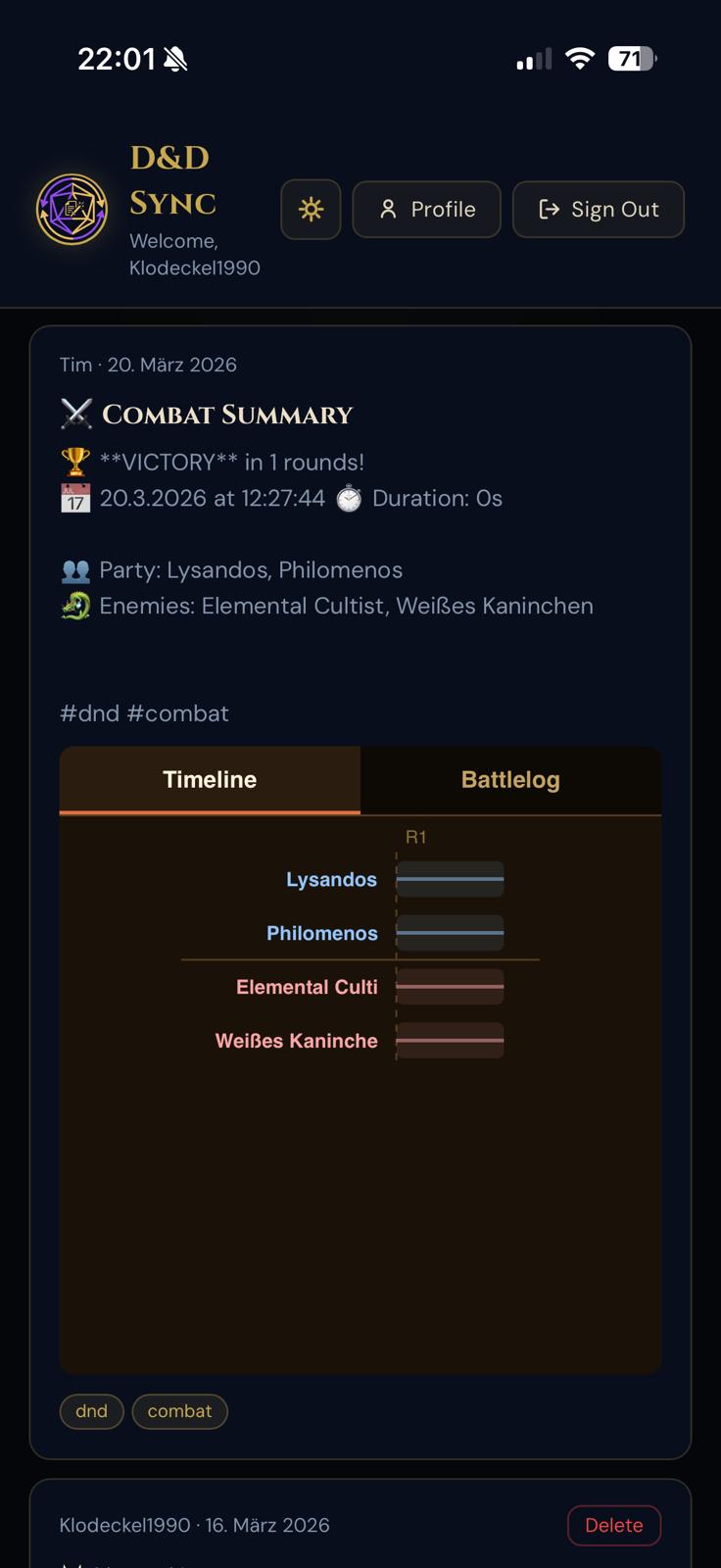
After every fight, an automatic summary captures HP stats, near-deaths, deaths, and total time in battle — with a full timeline the whole party can relive.
Auto-Generated
Owlbear Rodeo + IR Touch
Your combat on the virtual tabletop: tokens with live HP, an initiative bar and dice rolls on the table TV. Add an infrared touch frame and your physical minis move the tokens. See how it works on the table ↓
Open Source
Works as a Web App — no install required
Add D&D Sync to your home screen for a full-screen, app-like experience on any device. No App Store. No updates. Always the latest version.
iOS (Safari)
  1. Open dndsync.com in Safari
  2. Tap the Share button ⎙
  3. Tap Add to Home Screen
Android (Chrome)
  1. Open dndsync.com in Chrome
  2. Tap the menu ⋮
  3. Tap Add to Home screen
See How It Works

Real screenshots from your table

Everything you need — live, in one place.

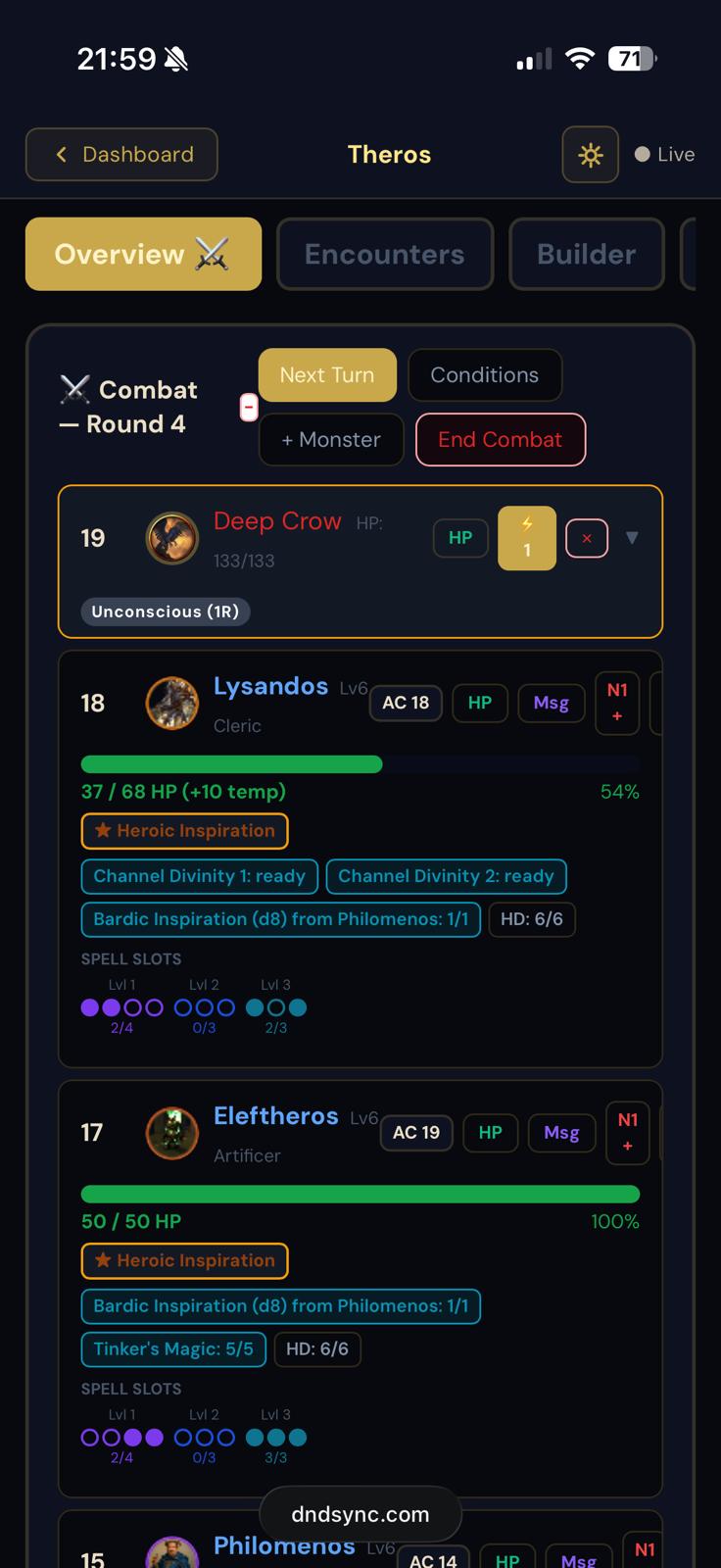
Combat initiative tracker showing live turn order and HP bars Enlarge
Live initiative order with HP tracking — visible to everyone at the table
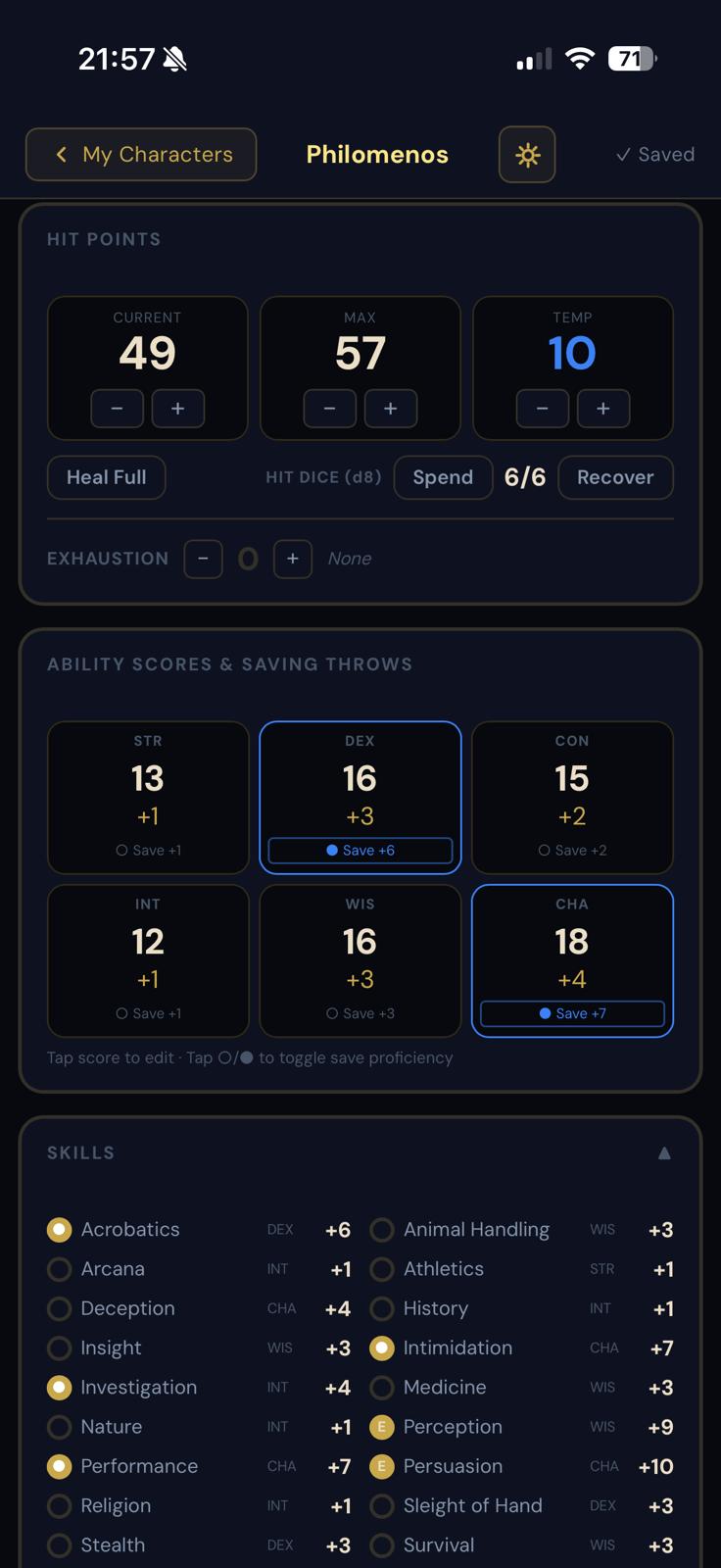
Character sheet overview with stats and HP Enlarge
Character overview — stats, HP, saving throws, and skills
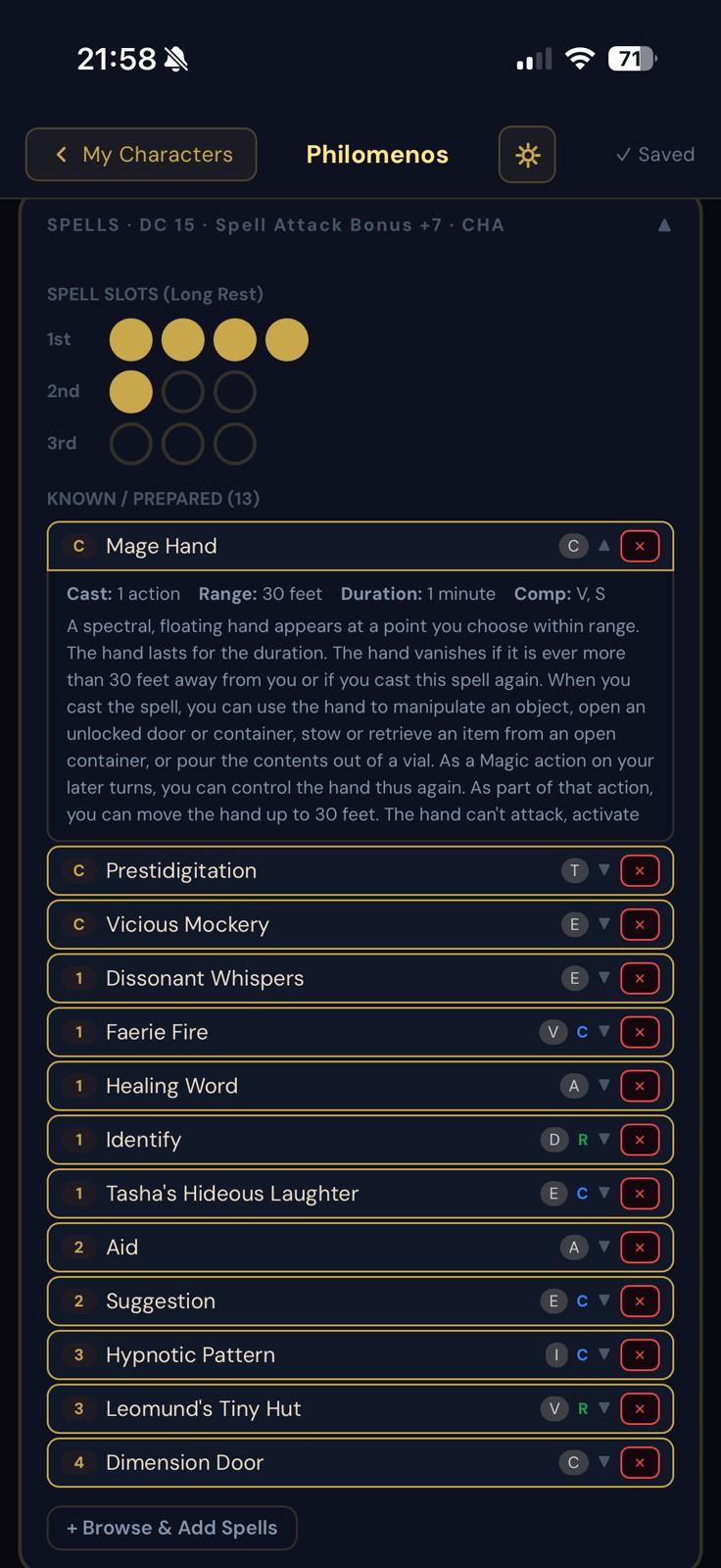
Spellbook panel with spell slot tracking Enlarge
Spellbook with slot tracking and full spell details
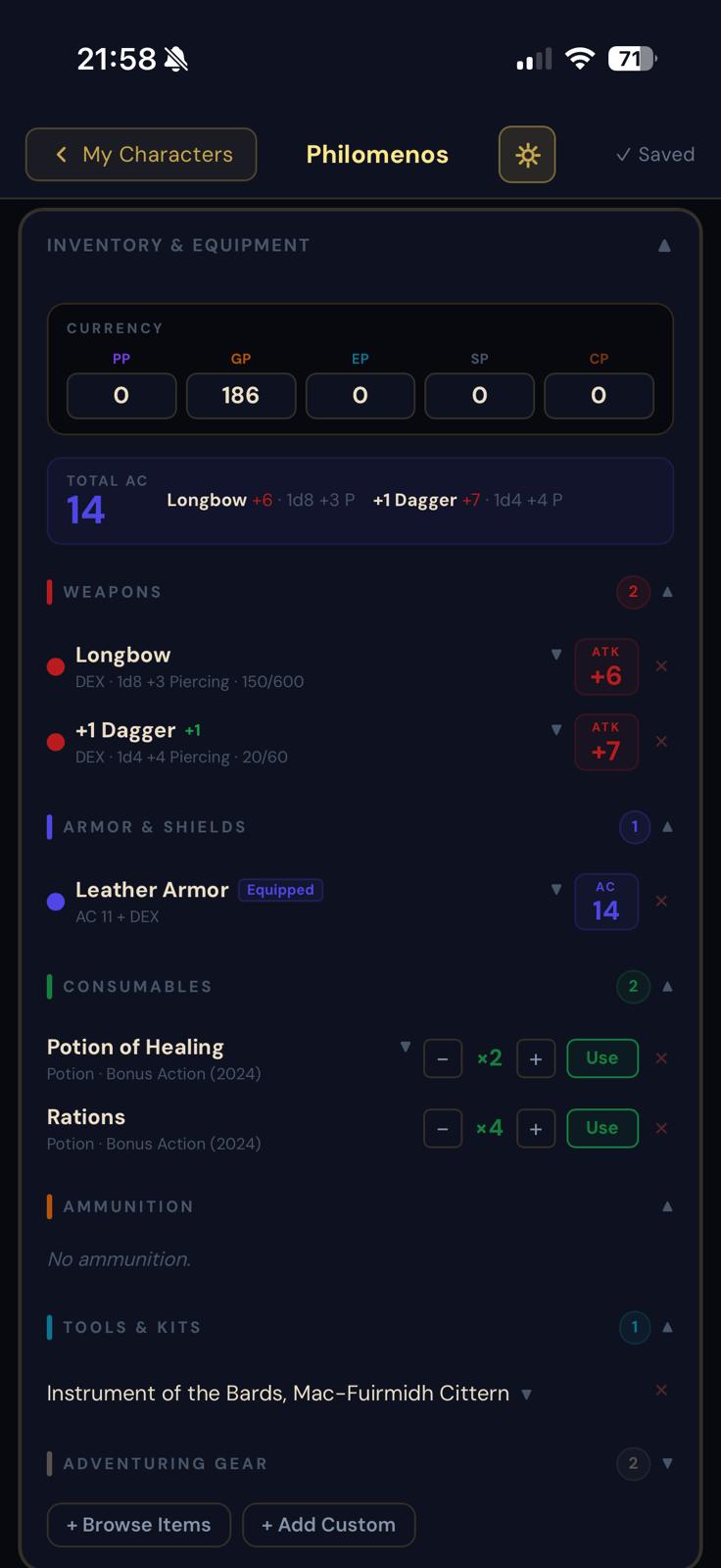
Inventory and equipment management panel Enlarge
Inventory, equipped items, and currency in one place
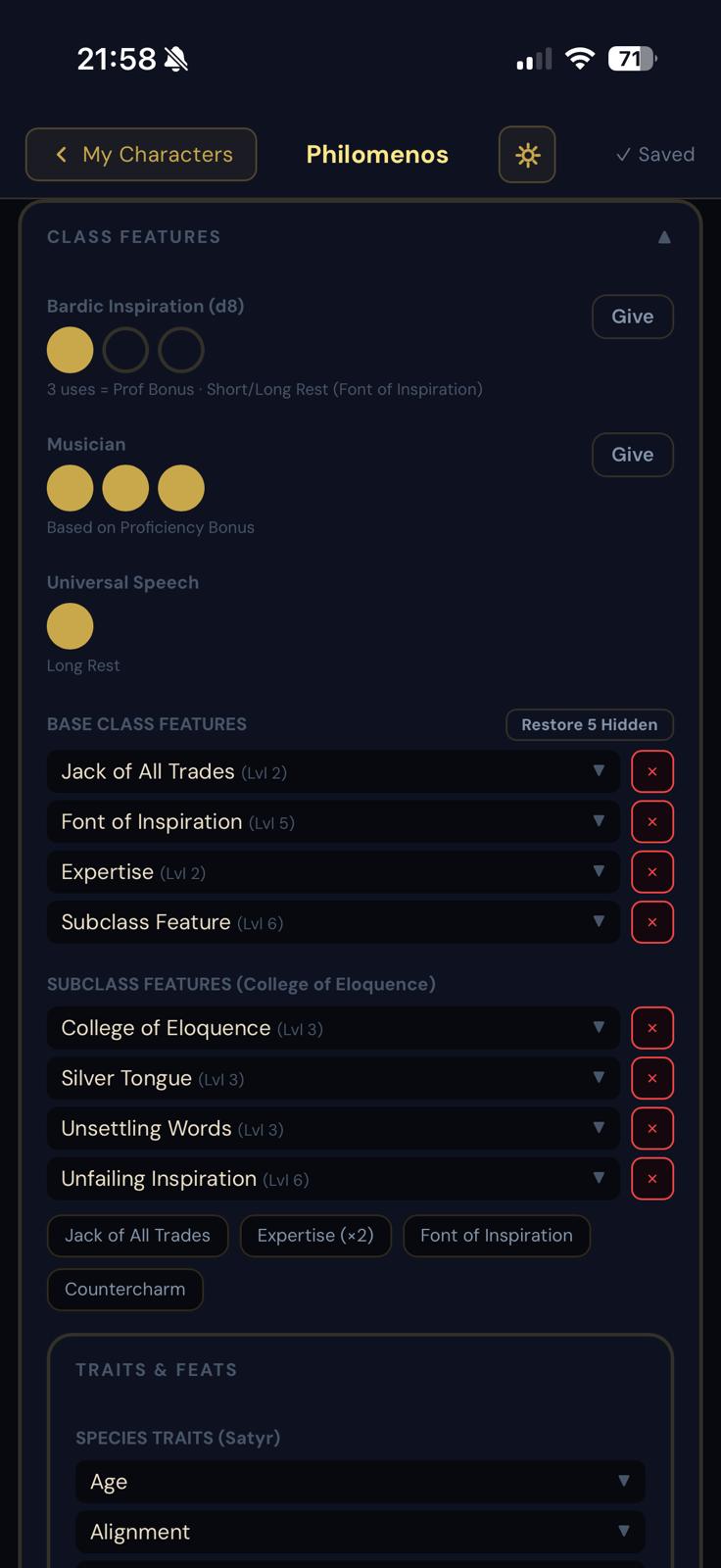
Class features and resource trackers Enlarge
Class features, resource trackers, and feats
GM party overview panel Enlarge
GM panel — full party HP, conditions, and spell slots at a glance
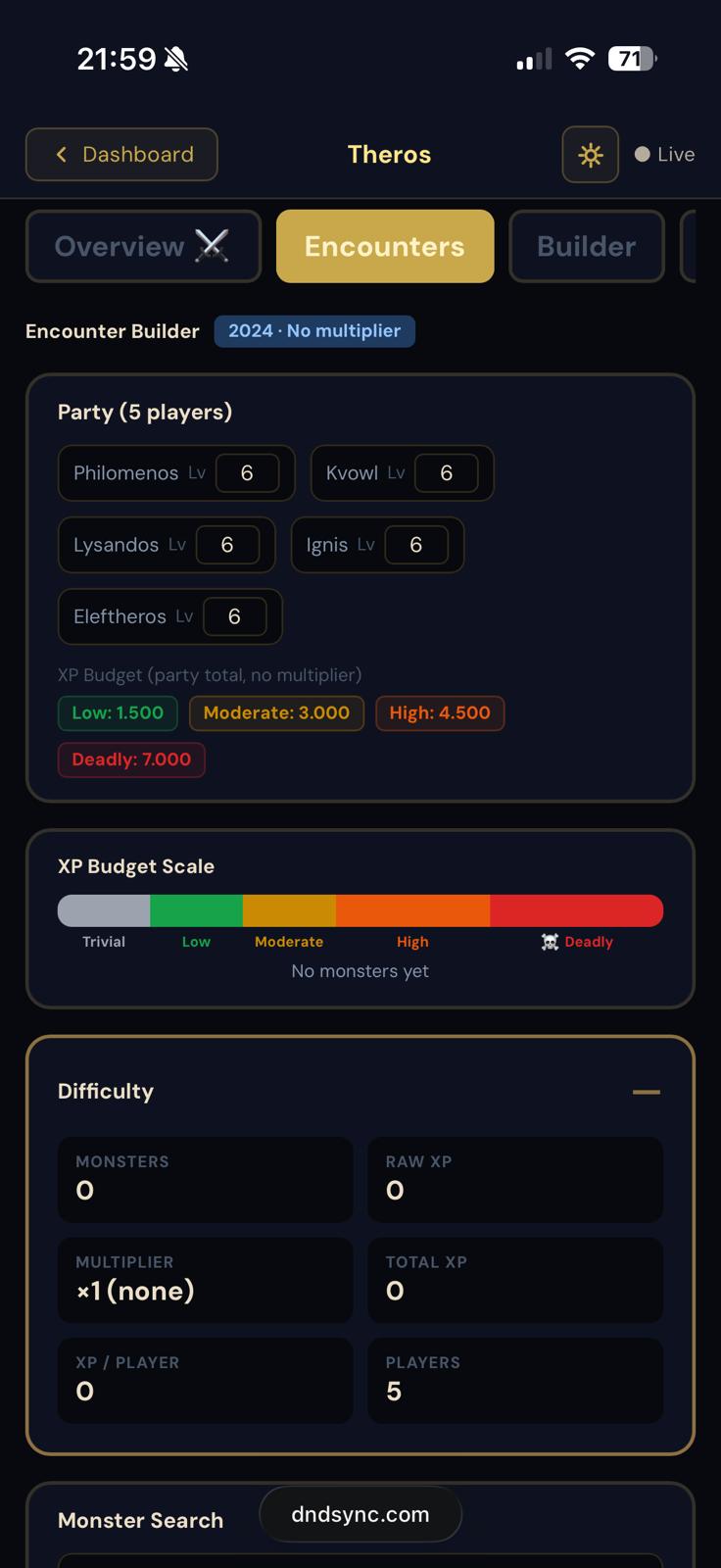
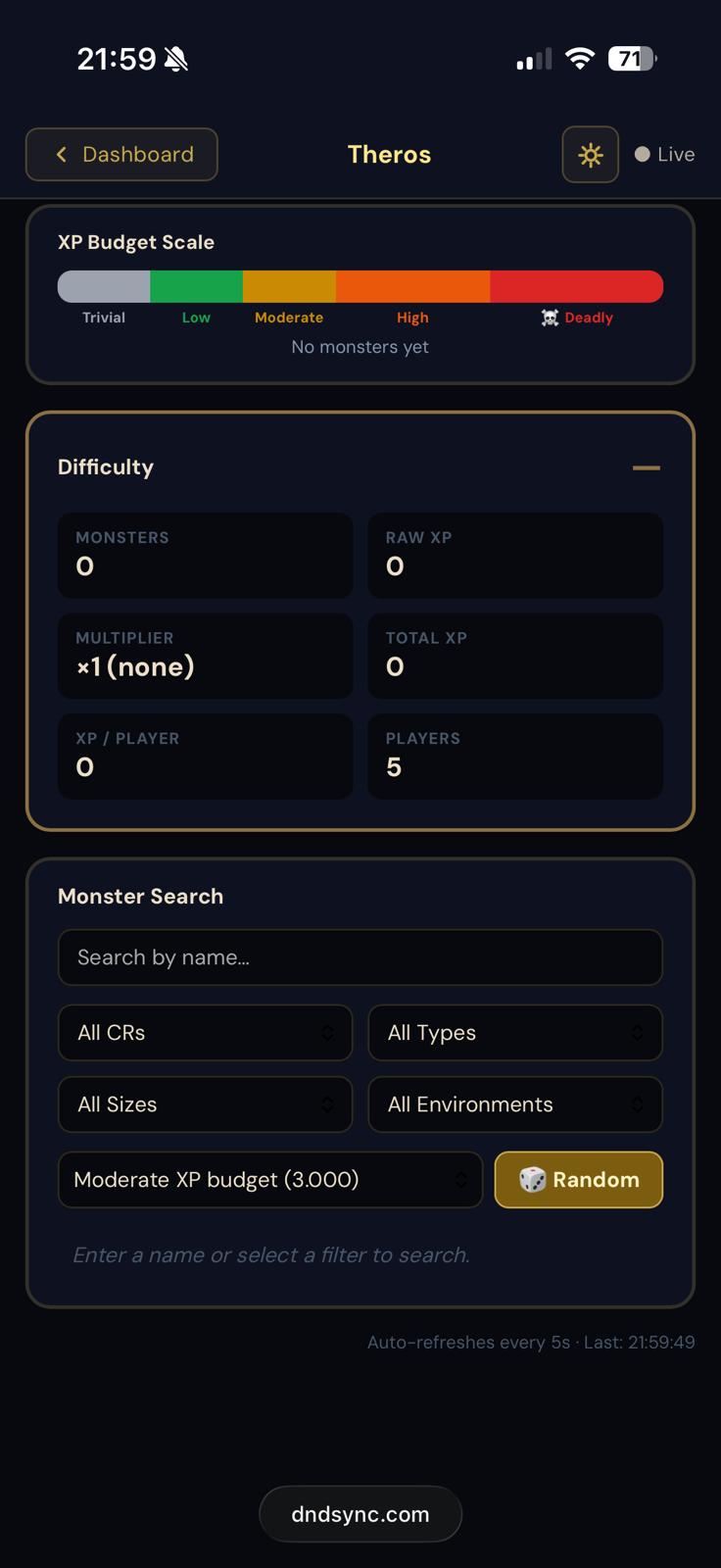
Encounter builder with monster stat blocks Enlarge
Encounter builder — add monsters from the full SRD catalogue
Encounter in progress with HP management Enlarge
Track HP for every monster — deal damage mid-fight in seconds
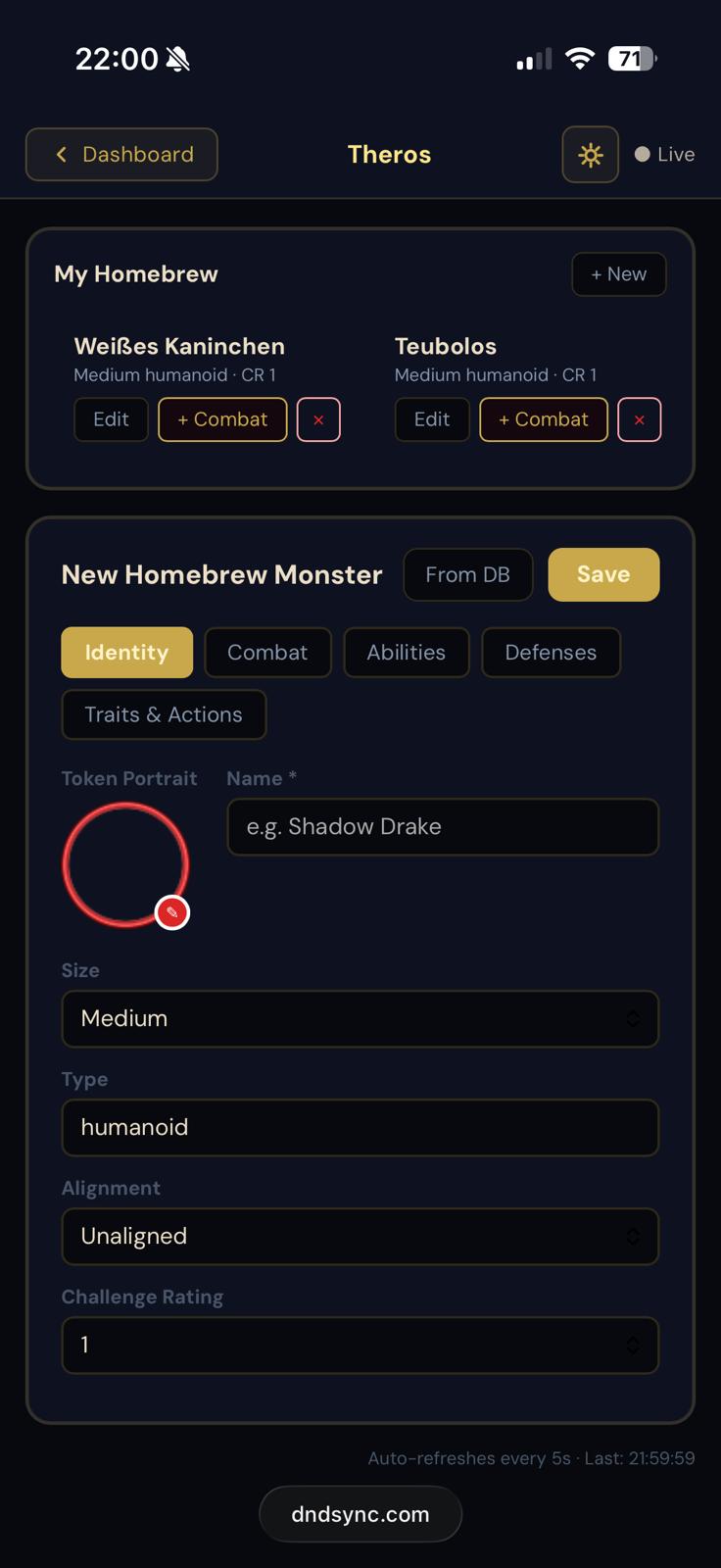
Homebrew monster builder Enlarge
Homebrew builder — create custom monsters and save them to your library
Combat summary with HP stats and timeline Enlarge
Post-battle summary — HP stats, near-deaths, deaths, total time, and full timeline
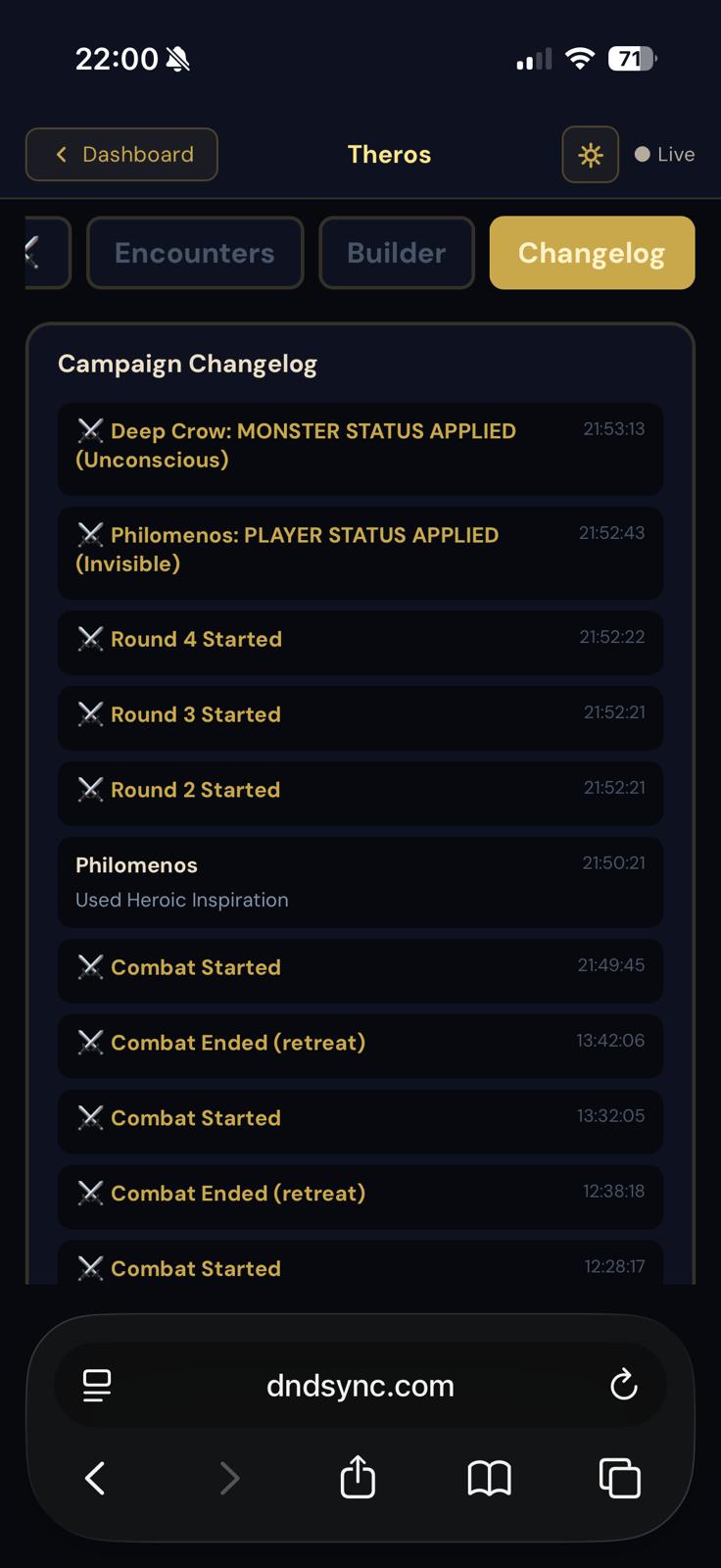
Campaign battle changelog Enlarge
Campaign changelog — every battle, remembered forever
Table

From the screen
to the table.

D&D Sync runs the numbers. Owlbear Rodeo shows the map. And with an infrared touch frame on a TV in your table, the minis in your players' hands move the tokens themselves.

Owlbear Rodeo extension
Link a campaign with a one-time code and your combat appears in the room.
  • Monsters and party members as tokens, HP always in sync
  • Initiative bar and movement ring on the table display
  • Shared dice rolls slide in on the TV
  • Spell areas drawn on the map, straight from the character sheet
Extension URL: https://dndsync.com/obr/manifest.json
IR Touch
A small service reads the touch frame and an Owlbear extension binds every contact to a token — lift a figure, set it down, the token follows.
  • Works in any Owlbear room, with or without D&D Sync
  • Open source (MIT), hosted here for free
  • Tested with a Greentouch GT-IR-F43 43″ frame
  • Step-by-step guide: driver, calibration, Cast window
Extension URL: https://dndsync.com/ir-touch/manifest.json
Guide on GitHub
How it Works

Up and running in minutes

Create Your Realm
The DM starts a campaign and shares a 6-character join code. Players join in seconds — no downloads, no setup required.
Play Together
Everyone sees the same initiative order, live HP bars, and spell slot counts in real time. The whole table, finally in sync.
Remember the Legend
D&D Sync records HP changes, near-deaths, deaths, and time in battle automatically. When it's over, share the timeline with your party.
Combat Summary

Every Battle.
Remembered.

After the dust settles, D&D Sync generates an automatic summary — HP stats for every character, near-death moments, deaths, total time in battle, and a full timeline of how it all unfolded.

Post it in Discord. Let the bard write the ballad.

Community

Built by players.
For players.

We got tired of juggling paper sheets, phone timers, and whiteboard initiative lists. So we built the tool we always wanted at our own table.

— The D&D Sync Team

Join our Discord
Free

Free. Forever.

No Pro tier, no waitlist, no limits. Everything you see here is yours — for every campaign and every player at your table.

Everything
$0
Forever — no strings attached
  • Unlimited campaigns & players
  • Digital character sheets
  • Live initiative tracker
  • Combat summary & full timeline
  • DM tools, monsters, homebrew
  • Owlbear Rodeo extension
  • IR Touch for the table
Optional
Support the project
If it saves your table some fiddling

D&D Sync costs server time and a lot of evenings. A coffee keeps the lights on — and it unlocks nothing, because you already have everything.

Support on Ko-fi
Begin

The next campaign
starts here.

Join players already running smarter sessions. No credit card, no Pro tier, no setup — just roll initiative.

Join for Free